


Molto spesso ci imbattiamo in loghi e progetti di graphic design fattiesclusivamente in Adobe Illustrator. Il tutorial che vedremo ci mostra come produce un marchio sia in Adobe Illustrator che in Adobe Photoshop, evidenziando il processo di progettazione durante l’utilizzo di metodi simili in ogni programma.
Related Posts
22
Jul2013
Illustrate an Bottle of Wine in a Gift Box in Illustrator
A tutorial that explains how to make use of the 3D tools in Illustrator and learn how to create an amazing bottle of wine in a gift box. In this…
19
Apr2017

Draw a Summer Camp Logo Design in Illustrator
In this nice video tutorial we will see how to draw a logo for a vector summer camp using the Adobe Illustrator graphics program. A very detailed and easy to…
25
Sep2021
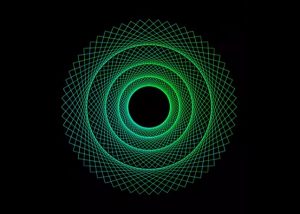
Draw a Spirograph Design in Adobe Illustrator
This video tutorial shows how to draw with a spirograph effect in Adobe Illustrator. A lesson that will allow you to create an almost psychedelic symmetrical design. An exercise that…
05
Jun2013
Create Twitter Bird in CorelDRAW – Tutorial
Creare icone social è sempre un esercizio utile per personalizzare le vostre pagine Web. Quello che vedremo è un tutorial per creare l’icona del famoso social Twitter in CorelDRAW. Si…
25
Mar2014
Water Stream with Thinkbox Frost in 3ds Max – Tutorial
This video tutorial will show us how to use a simple particle setup and Thinkbox Frost to create a real water flow in 3ds Max in no time but with…
09
Feb2013
ZBrush 4 R2 Boolesche Operatoren – Tutorial
This is a video tutorial on how to apply 3D Boolean operators within Pxicologic ZBrush. Boolean objects are those that are obtained by subtraction, addition, etc. between two or more…
